How ACar works

Selling with ACar

From vehicle details to a live listing.

Here is the actual process: what you will enter, every kind of photo and video the scan requests, what documents to have ready, and what happens after you submit.

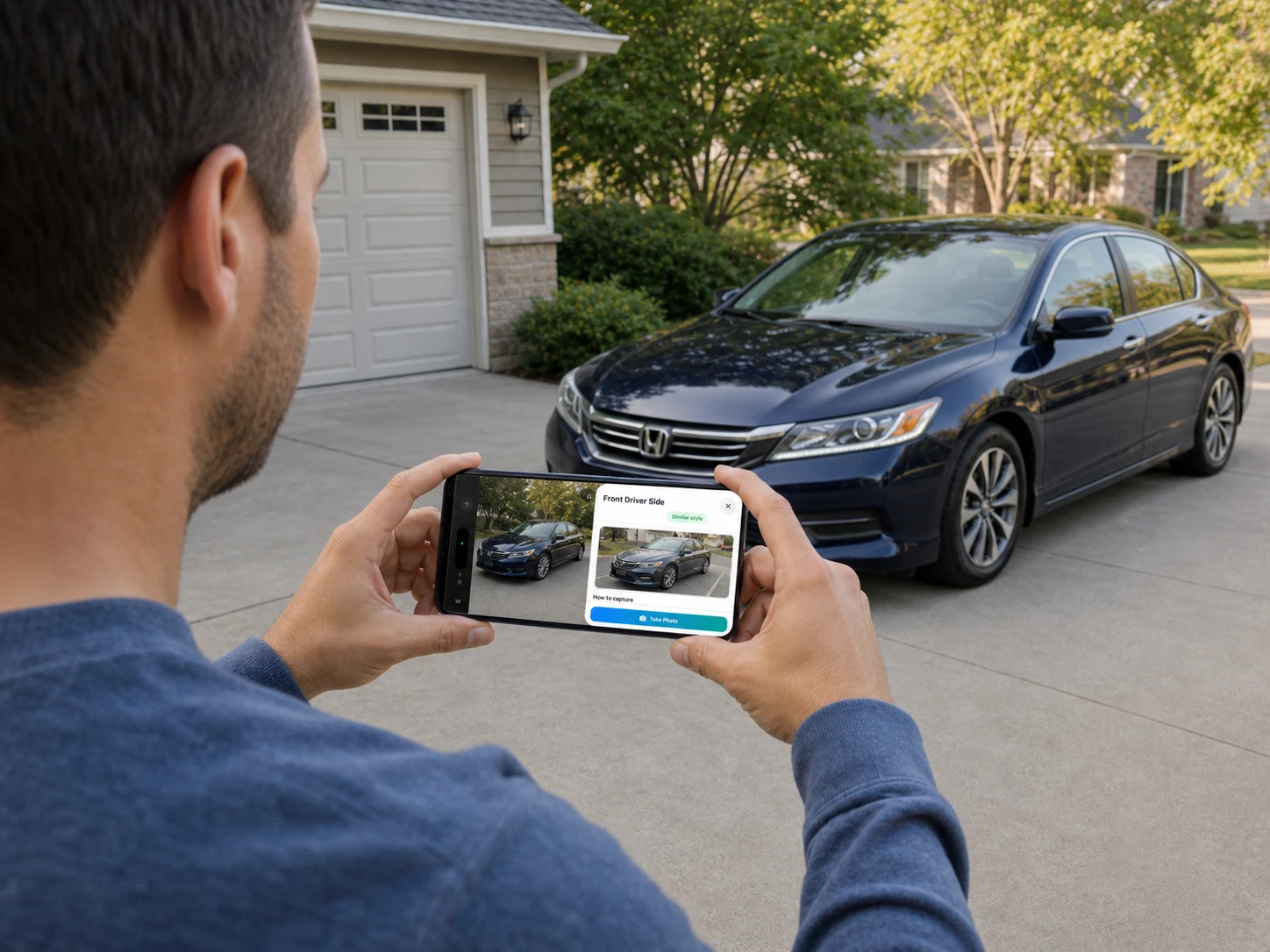
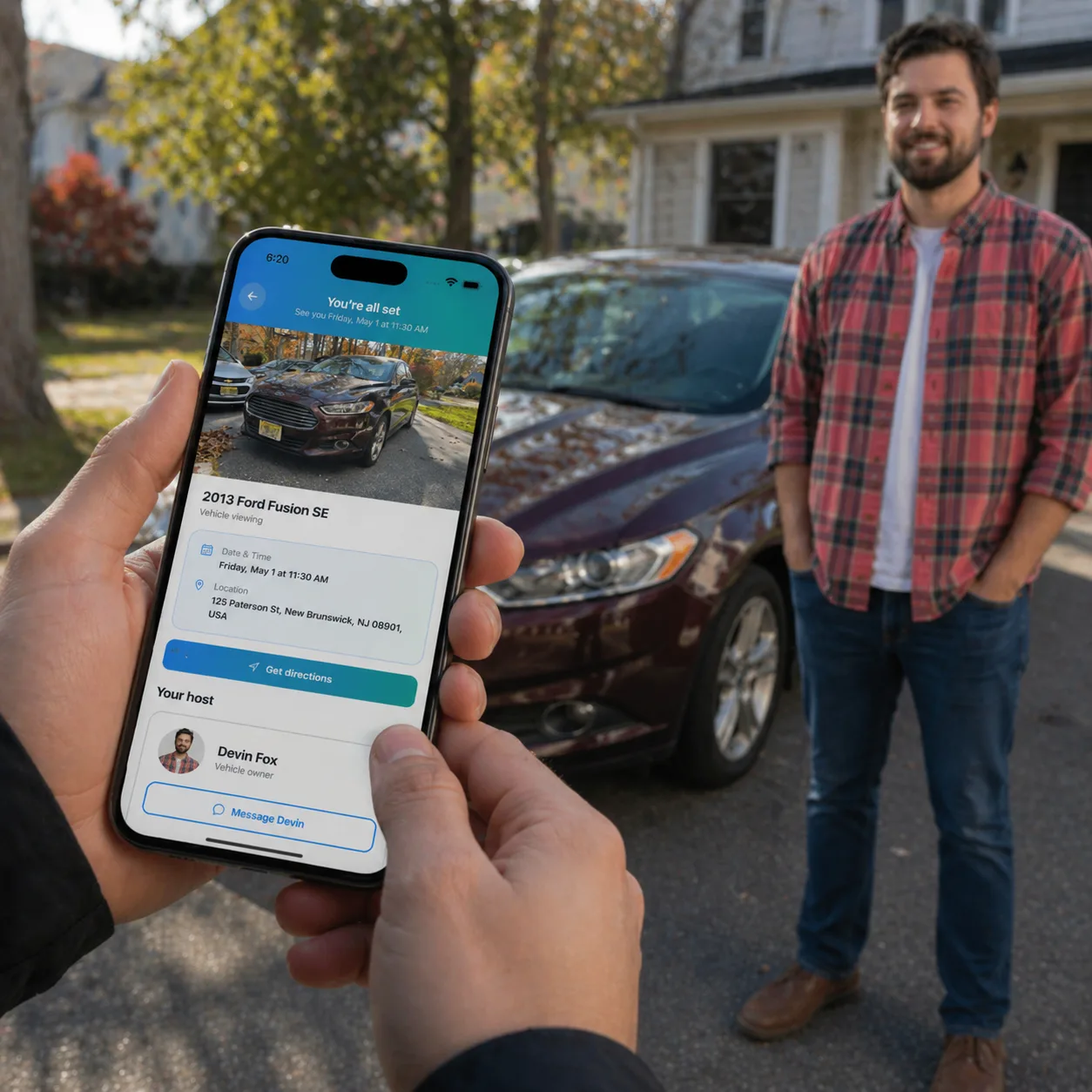
Seller photographing a vehicle for an ACar listing

Guided from the first photo to publish

Realistic timeline

Plan for about 10–20 minutes.

01

Vehicle details

A few minutes

02

Listing checklist

About 10–20 min

03

ACar review

Usually under 24 hr

04

Go live

After your approval

Before you begin

A little prep makes the scan much easier.

Your phone

The vehicle scan and identity check use your phone camera. You can send yourself a link if you start on a computer.

A clean, well-lit car

Remove personal items, clean the cabin, and park in open daylight with enough room to walk all the way around.

Keys and documents

Have your keys, government ID, title or lender details, and any service receipts nearby.

The real listing flow

Every step, in the order you will see it.

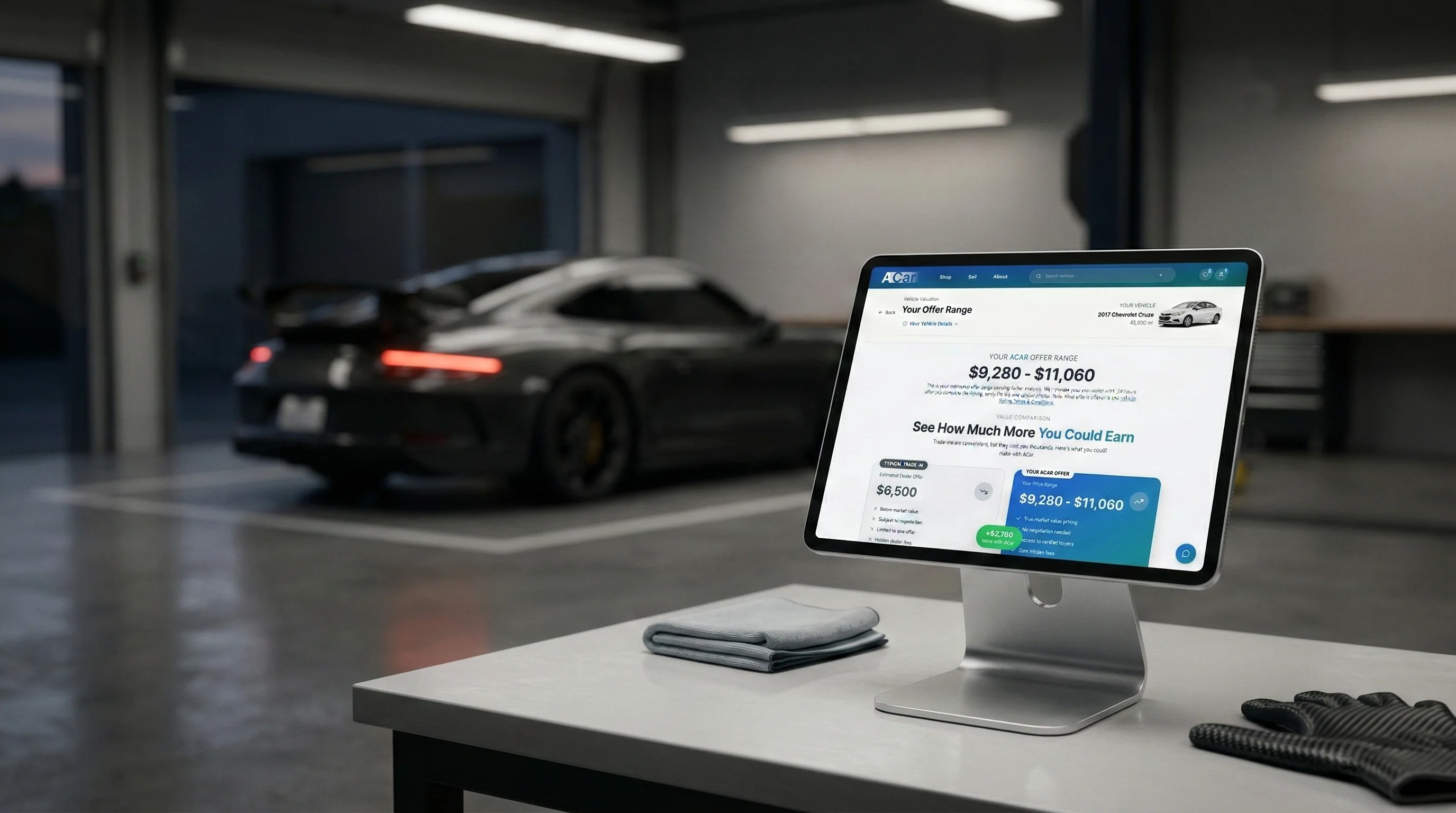
The initial vehicle questionnaire creates your estimate. After that, five readiness steps prepare the listing for review, followed by your final approval and submission.

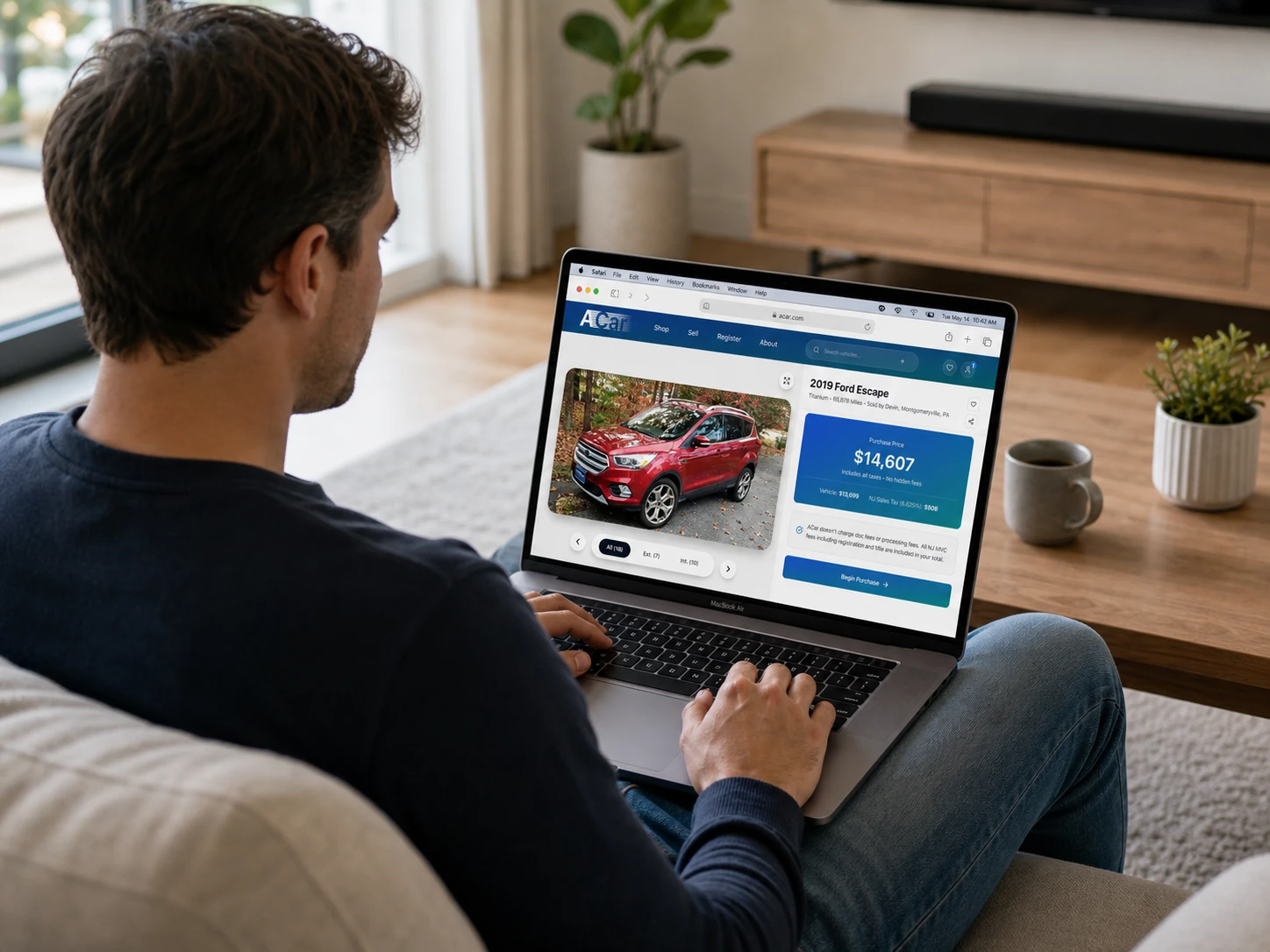
01ACar market pricing experience on a phone

Before the checklist

A few minutes

Tell us which vehicle you have

Start with a VIN, license plate, or year, make, and model. Confirm mileage, features, condition, accident history, ownership, and title status so ACar can build an estimated market range.

Vehicle identity and current mileage
Features, colors, and modifications
Overall condition and known issues
Ownership and title status
Good to know: The first number is an estimate. Photos and title information are reviewed before an exact listing price is confirmed.
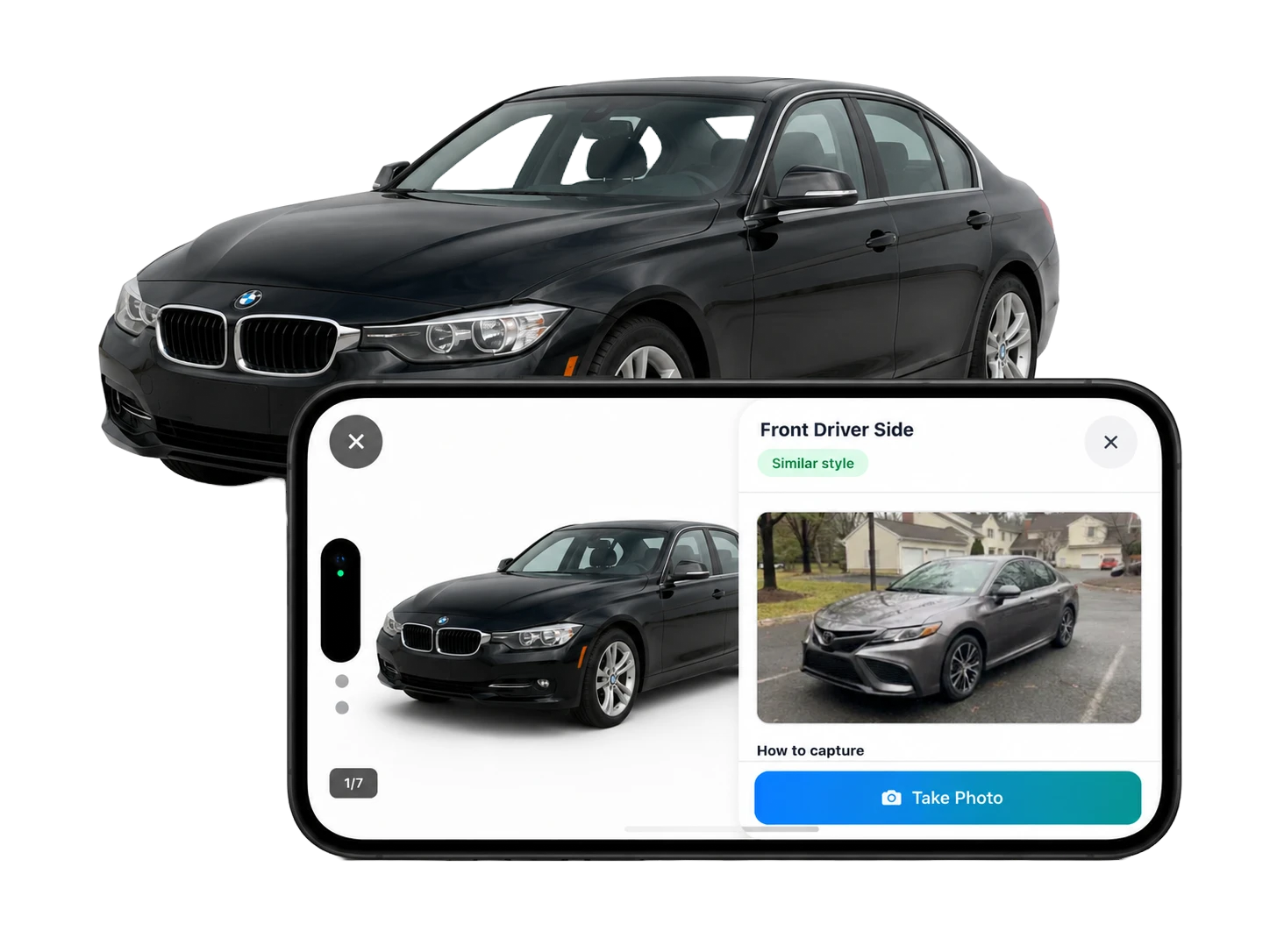
02ACar guided exterior photo capture showing the requested vehicle angle

Listing step 1

About 10 min

Complete the guided vehicle scan

Open the scan on your phone. The capture guide shows the exact framing for each photo and lets you document imperfections instead of making buyers discover them later.

7 guided exterior photos
Up to 11 interior and detail photos, adapted to the vehicle
Exterior and interior walkaround videos
Odometer and warning lights shown in the interior recording
VIN photos at the windshield and driver-door jamb
Good to know: The number of interior shots can change by body style—for example, a third-row photo only applies when the vehicle has one.
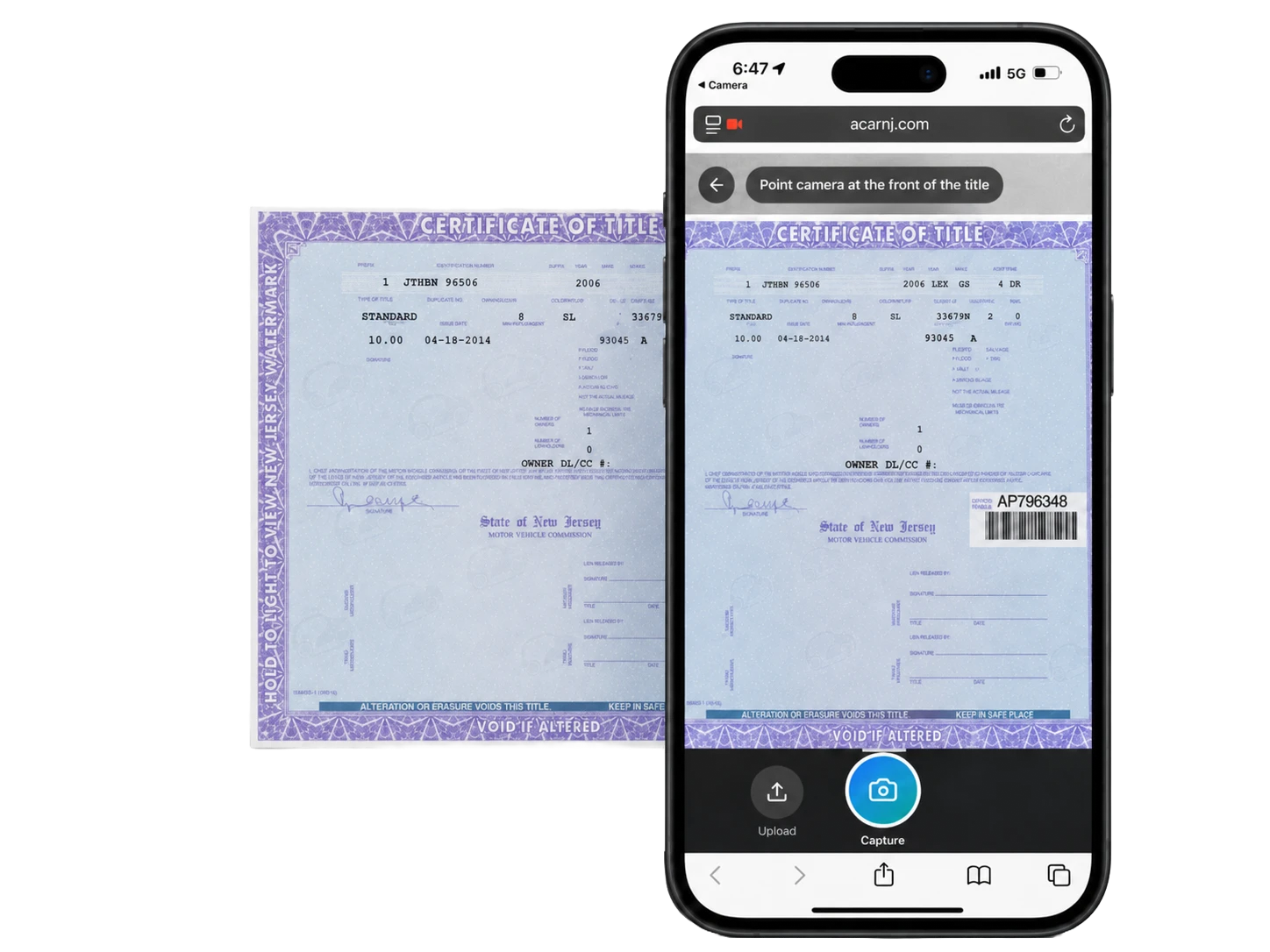
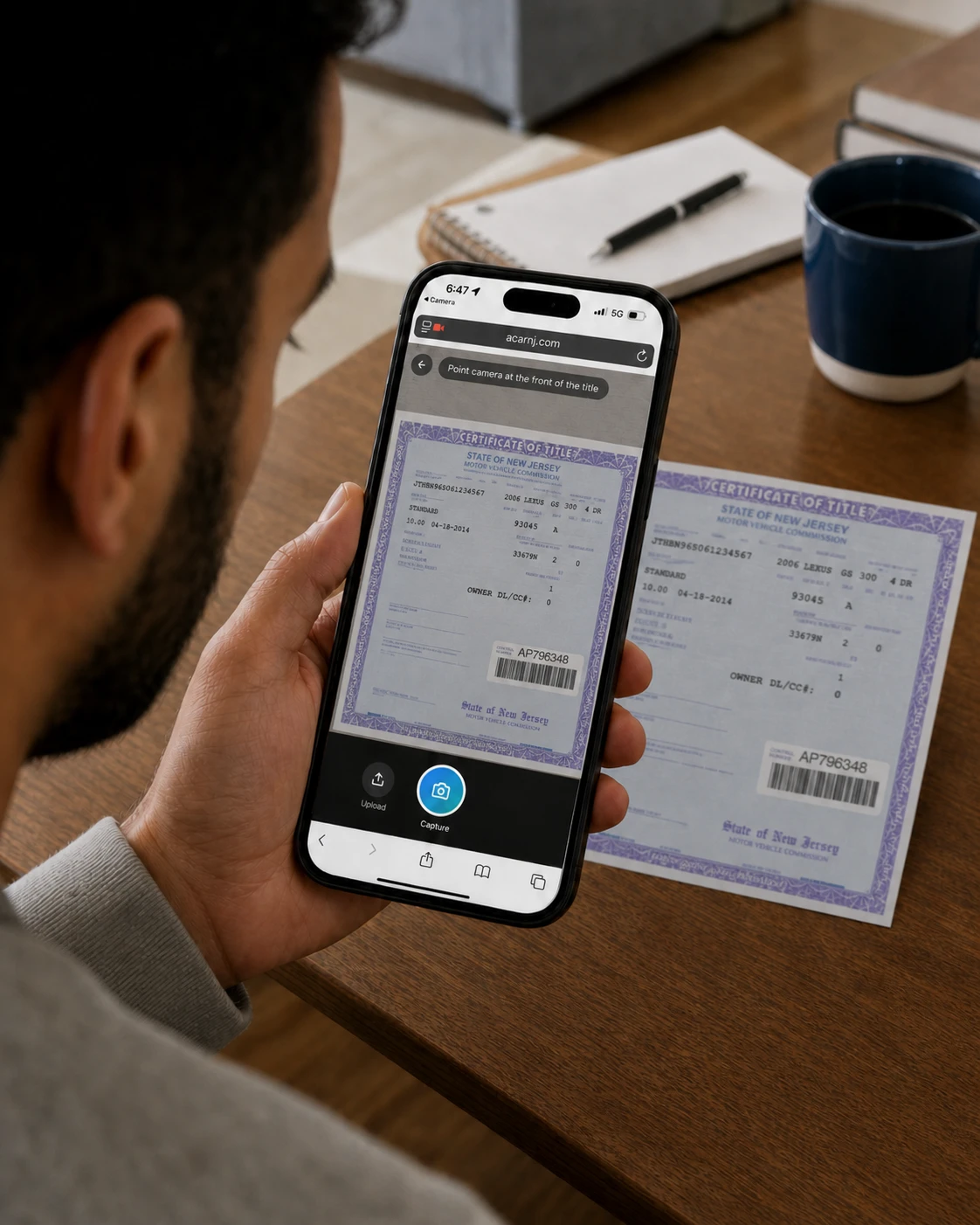
03ACar title capture flow on a phone

Listing step 2

About 3 min

Confirm payoff and title details

Tell us whether the vehicle is owned outright or financed. Photograph the front and back of the title when prompted, or provide lender and approximate payoff information if there is a loan.

Ownership or finance status
Lender and approximate payoff, when applicable
Front and back of the vehicle title
Title review before ownership can transfer
Good to know: A loan does not automatically prevent a sale. ACar uses the payoff information to coordinate a clean title transfer at closing.
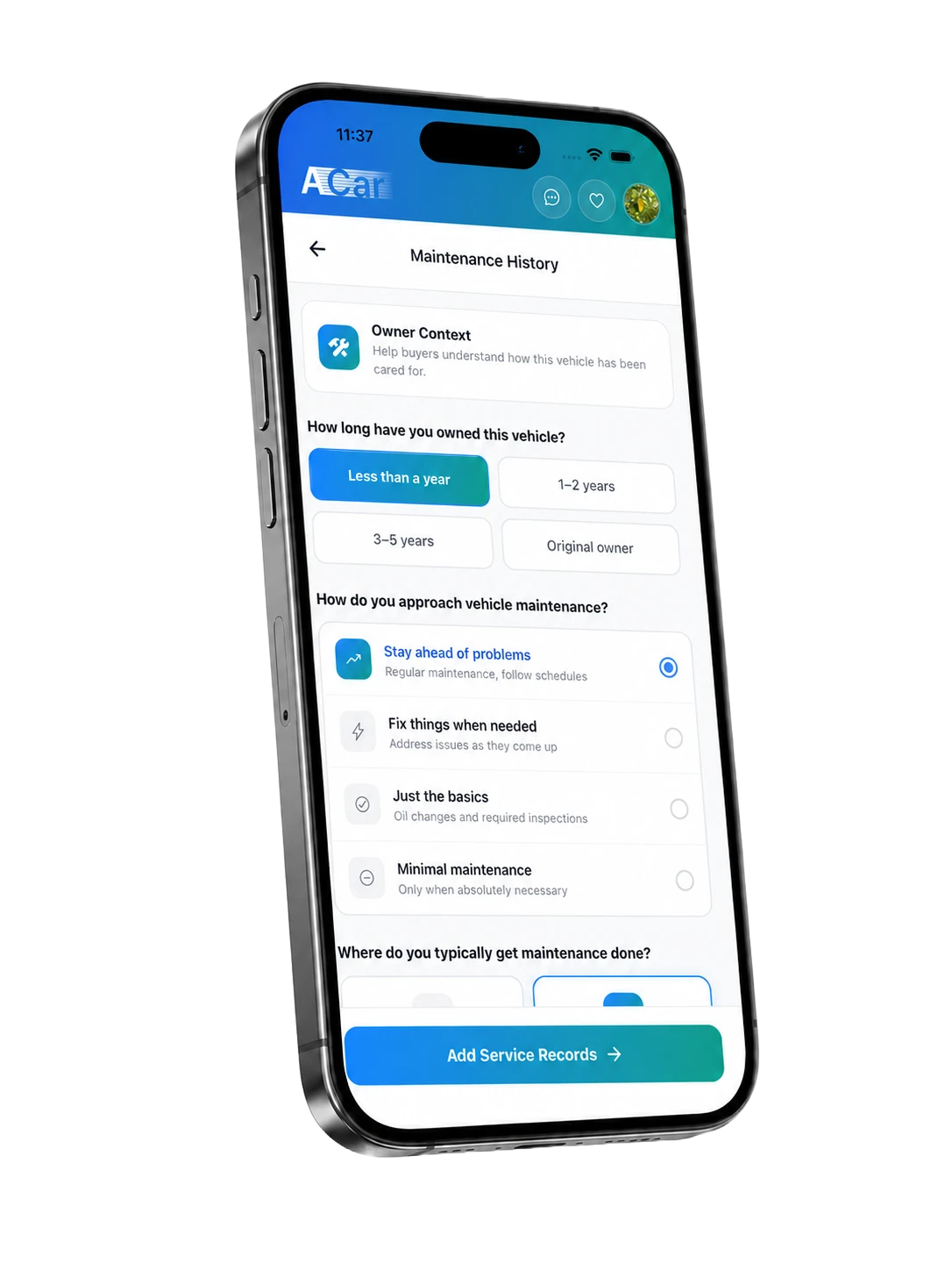
04ACar maintenance history form on a phone

Listing step 3

About 3 min

Add maintenance history

Share the maintenance buyers care about: oil changes, brakes, tires, major repairs, replacement parts, and anything due soon. Receipts are helpful when you have them.

Routine maintenance completed
Major repairs and replaced parts
Optional service-receipt photos
Upcoming maintenance to disclose
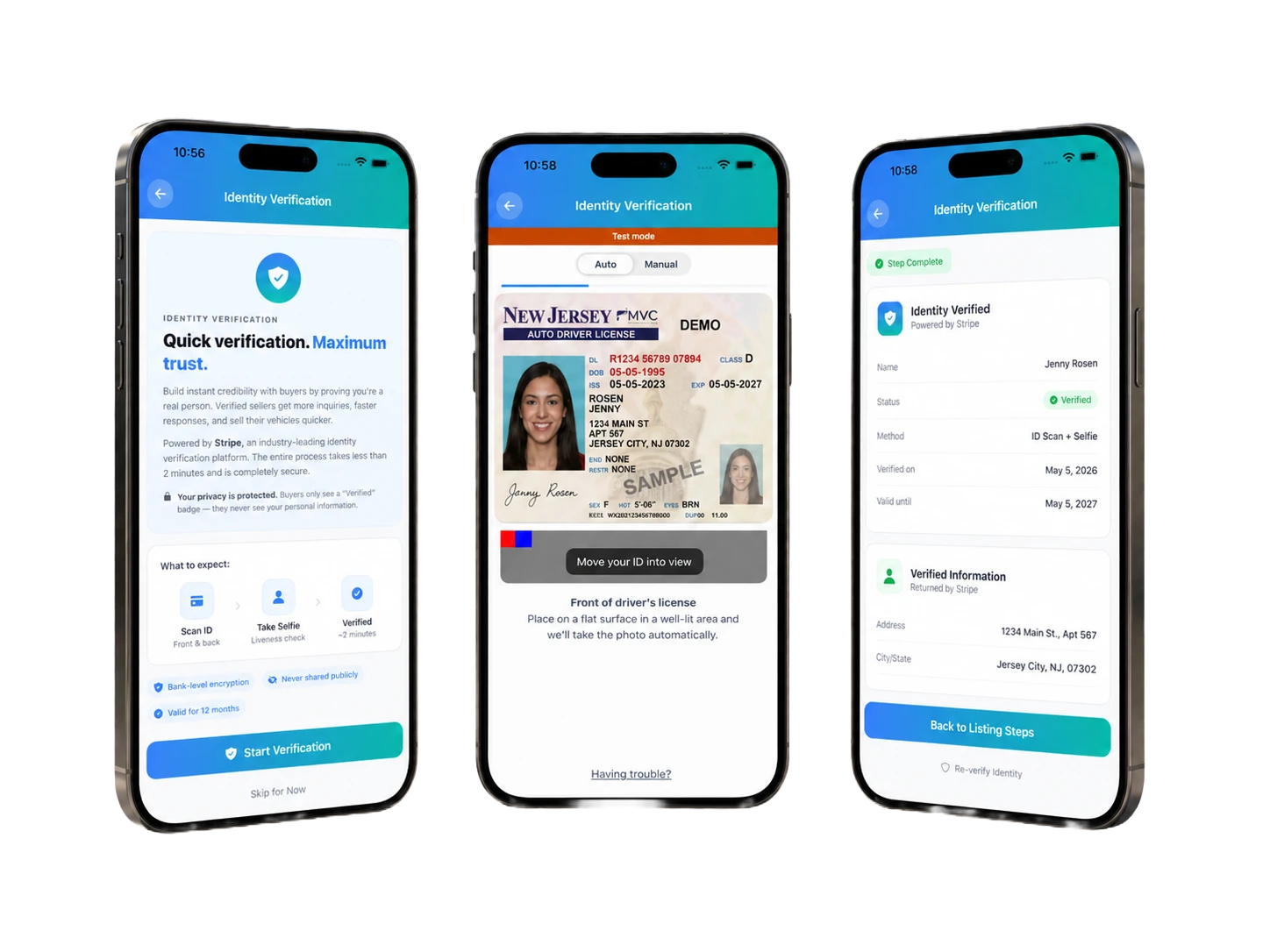
05ACar identity verification screens from start through completion

Listing step 4

About 2 min

Verify your identity

Use your phone to photograph a government-issued ID and complete a selfie match. This helps deter fraudulent listings and confirms who is behind the vehicle.

Front and back of a government-issued ID
Quick selfie match
Secure verification through the in-app flow
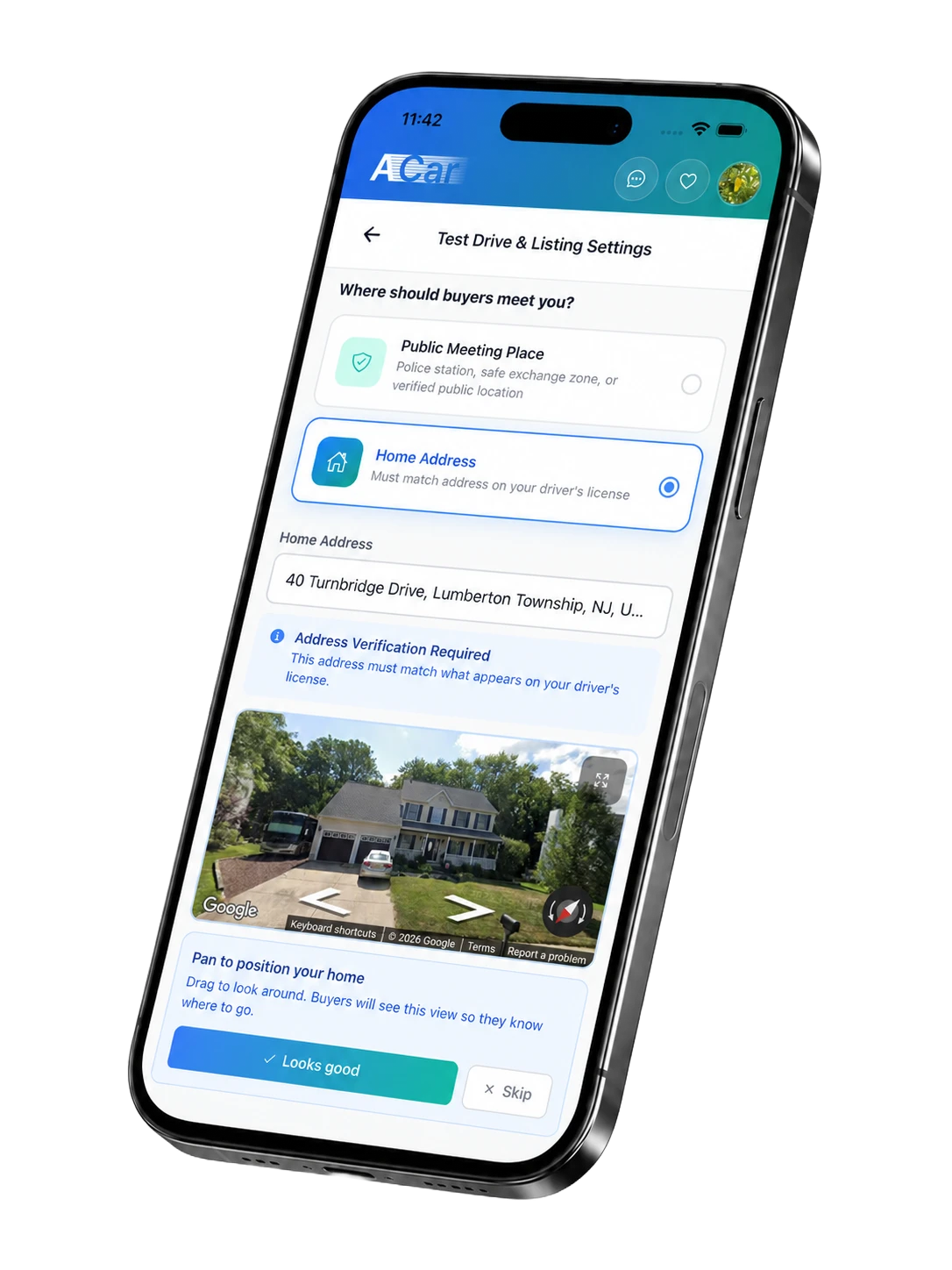
06ACar test drive and listing settings on a phone

Listing step 5

About 2 min

Set test-drive and listing preferences

Choose how buyers can contact you, when you are available, and where you prefer to meet. These settings control how appointments fit into your schedule.

Contact and communication preferences
Available days and time windows
Home or public meeting location
Test-drive and inspection preferences
07Seller viewing a completed ACar vehicle listing

Final review

A few minutes

Review, approve, and submit

Review the completed listing, disclosures, photos, settings, and Seller Listing Agreement before submitting. ACar then checks the vehicle details, media, title information, and price.

Preview the information buyers will see
Correct anything that is incomplete or inaccurate
Review and sign the listing agreement
Approve the exact price before the listing goes live
Good to know: You stay in control of the decision to sell. If the confirmed price does not work for you, the vehicle does not have to go live.
Seller using ACar's guided photo capture beside a vehicle

The app shows both the target angle and a real example.

The photo list

What you will actually capture.

The old eight-photo guidance is no longer accurate. The current scan covers the full exterior, the cabin and key details, two walkaround videos, visible imperfections, and VIN documentation.

7

Exterior photos

Up to 11

Interior/details

2

Walkaround videos

2 locations

VIN documentation

The 7 exterior shots

01
01

Front angled

Front bumper and one full side in a single 3/4 view.

02
02

Driver side

Full side profile, including both wheels and mirrors.

03
03

Rear direct

Centered rear bumper, taillights, and liftgate or trunk.

04
04

Passenger rear angled

Rear bumper and passenger side in a 3/4 view.

05
05

Passenger side

Full passenger-side profile from front wheel to rear.

06
06

Front direct

Centered grille, headlights, hood, and front bumper.

07
07

Wheel and fender

Rim, tire sidewall or tread, fender, and any curb rash.

Examples are loaded from the same sedan scan configuration used by the guided capture flow.

Interior and detail shots

The guide selects the shots that apply to the vehicle. A full configuration can request all of the following:

01Front seats
02Interior hero from the back seat
03Speedometer and gauges
04Infotainment or navigation screen
05Driver-seat detail
06Rear seats
07Full dashboard
08Third row, when equipped
09Passenger-seat detail
10Front floor and pedals
11Engine bay

Videos, VIN, and imperfections

Exterior walkaround

A continuous pass around the body so reviewers and buyers can see the vehicle beyond still photos.

Interior walkaround

A cabin and dashboard recording that includes the odometer and visible warning-light status.

VIN documentation

Windshield/dashboard VIN and driver-door-jamb VIN. The flow asks for a wider location photo and a close-up at each location.

Imperfections

Add focused photos of dents, scratches, curb rash, stains, tears, warning lights, or anything else a buyer should know.

After you submit

Submission is the start of review—not an instant publish button.

1

ACar reviews the submission

The team checks the vehicle information, photos, title details, and pricing. Most reviews are completed within 24 hours; you will hear from ACar if something needs to be corrected.

2

The listing is published and managed

Once approved, buyers can view the listing and request the next step. ACar supports buyer communication and appointment coordination while you manage decisions from your account.

3

You approve visits and the sale

You choose which appointment requests work for you. When a buyer moves forward, ACar guides payment, documents, title or lien payoff, and the closing steps.

Straight answers

Questions sellers usually have before starting.

No hidden accordion—these are the details worth seeing before you invest time in a listing.

Can I save my progress?

Yes. The listing checklist is designed to be completed in stages, and completed or partially completed steps appear in your listing dashboard.

What if my vehicle has damage?

Document it. Add close photos of scratches, dents, wheel damage, warning lights, or interior wear. Clear disclosure gives buyers the right expectations and reduces surprises at an appointment.

What if I still owe money on the car?

You can still list the vehicle when a bank or lender holds the title. Provide the lender and approximate payoff during the Payoff & Title step, and ACar coordinates the loan payoff and title release with the lender; the title and payment requirements must be satisfied before transfer.

Can I manage a listing if the title is in someone else’s name?

Yes. You can create and manage the listing on behalf of the titled owner, such as your spouse. The titled owner must complete the required verification and seller documents, personally sign the seller-assignment section of the original title, and mail the original title to ACar in the prepaid envelope when the sale moves forward.

Does submitting obligate me to accept a price?

No. The initial range is an estimate, and you approve the exact price before anything goes live. If the confirmed price is not right for you, the vehicle does not have to be listed.

Can I change the listing later?

You can manage listing details and availability from your account. If a material detail changes, keep the listing accurate so buyers and ACar are working from current information.

How much should I budget for the whole process?

Plan about 10–20 minutes after the initial vehicle questionnaire. The vehicle scan is the longest part; title, maintenance, identity, and appointment settings are shorter and can be completed separately.

Ready when you are

Start with the vehicle details. Finish the rest at your pace.

Have your VIN or plate handy. You will see the estimated market range before moving into the full listing checklist.

Start my vehicle