
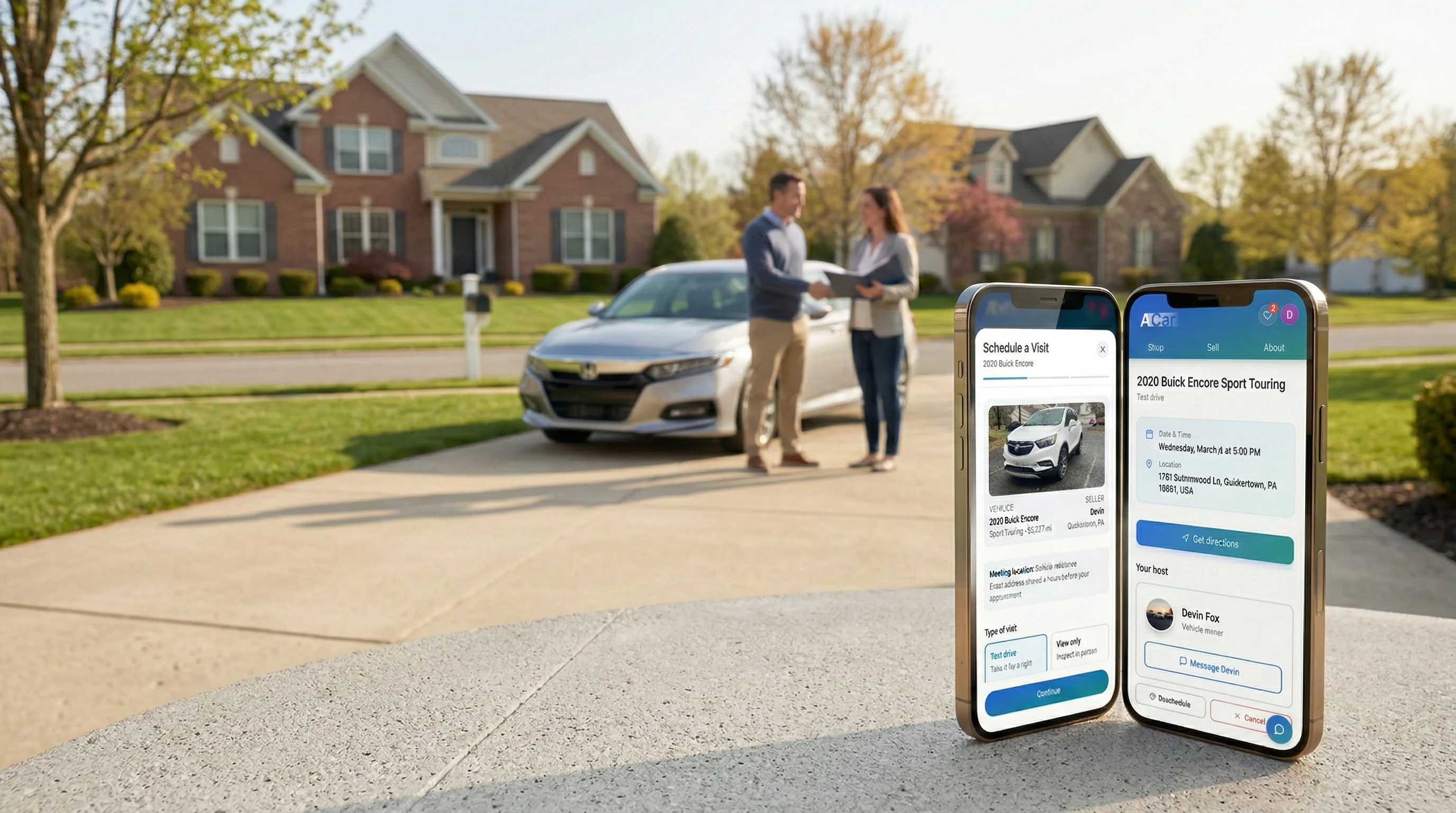
The appointments guide
Test drives, the safer way.
Safer locations, readiness checks, and less back-and-forth before either side leaves home.
Three promises
Why ACar appointments feel different.
Safer public locations
ACar points buyers and sellers toward safer public exchange locations instead of leaving both sides to improvise a meeting spot.
Readiness checks before the appointment
Identity, license, insurance, and appointment terms are handled where required so the meeting is not the first time important details come up.
Calendar that respects you
Pick windows that work, see real availability, and reschedule without the back-and-forth.
Live preview
Everything in one screen.
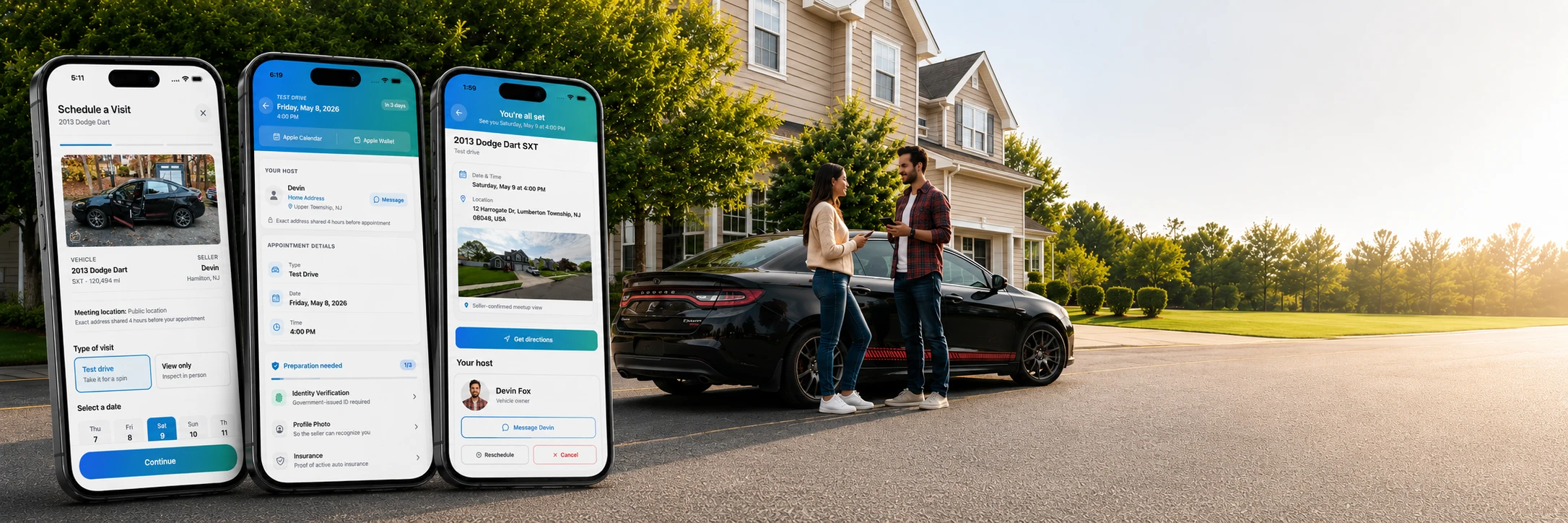
From listing to locked-in appointment — here's exactly what the booking flow looks like in the app.
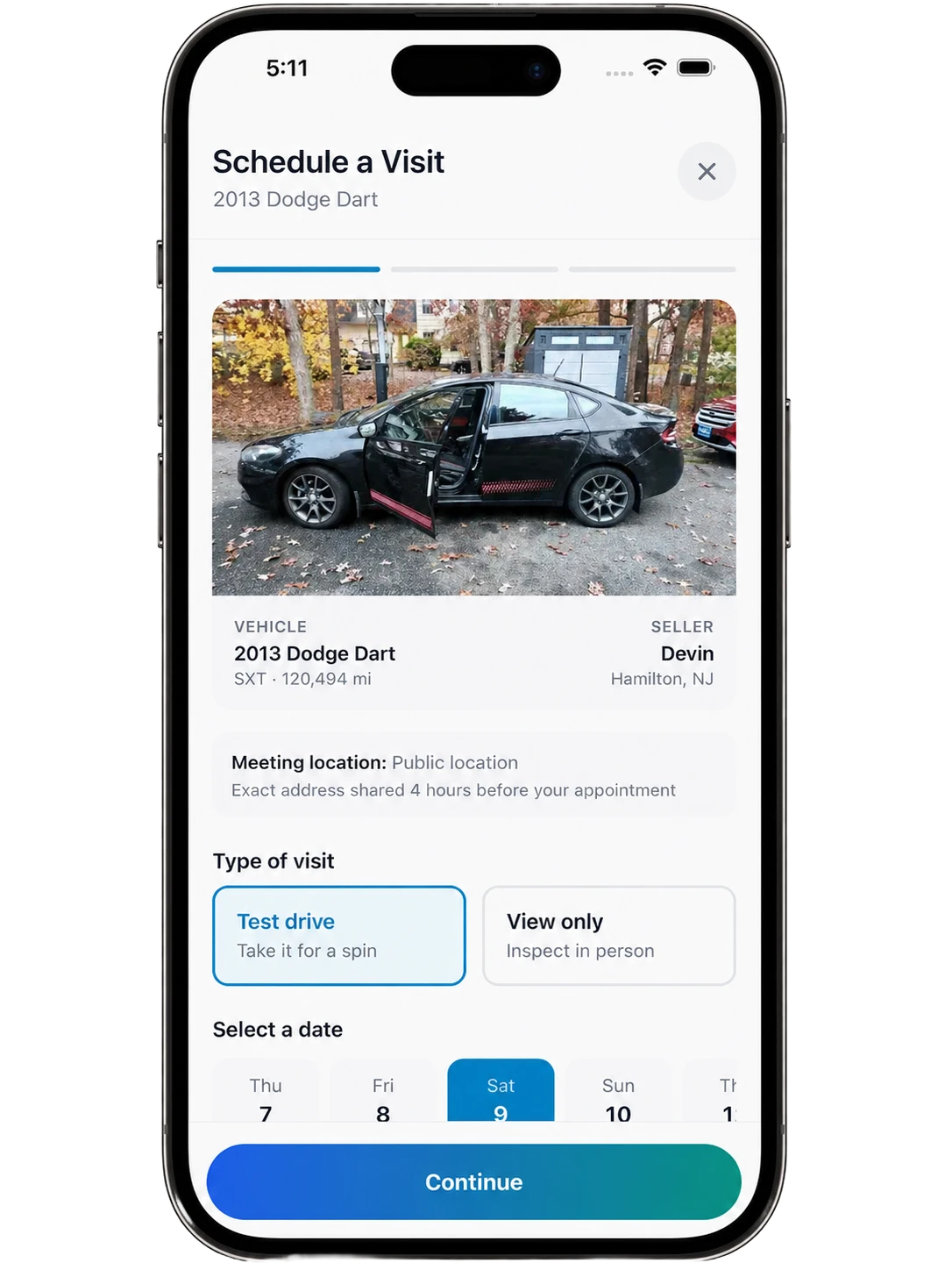
Step 1
Find your car, tap to book.
The scheduling flow opens directly from any listing. Pick test drive or view only, choose your date, and lock it in — all without leaving the listing.
Step 1
Find your car, tap to book.
Pick test drive or view only, choose your date, and book — all from the listing.
Step 2
See what's needed before you go.
Your appointment card shows everything: who you're meeting, when, and exactly what you need to complete before the day. Take care of it all from one screen.
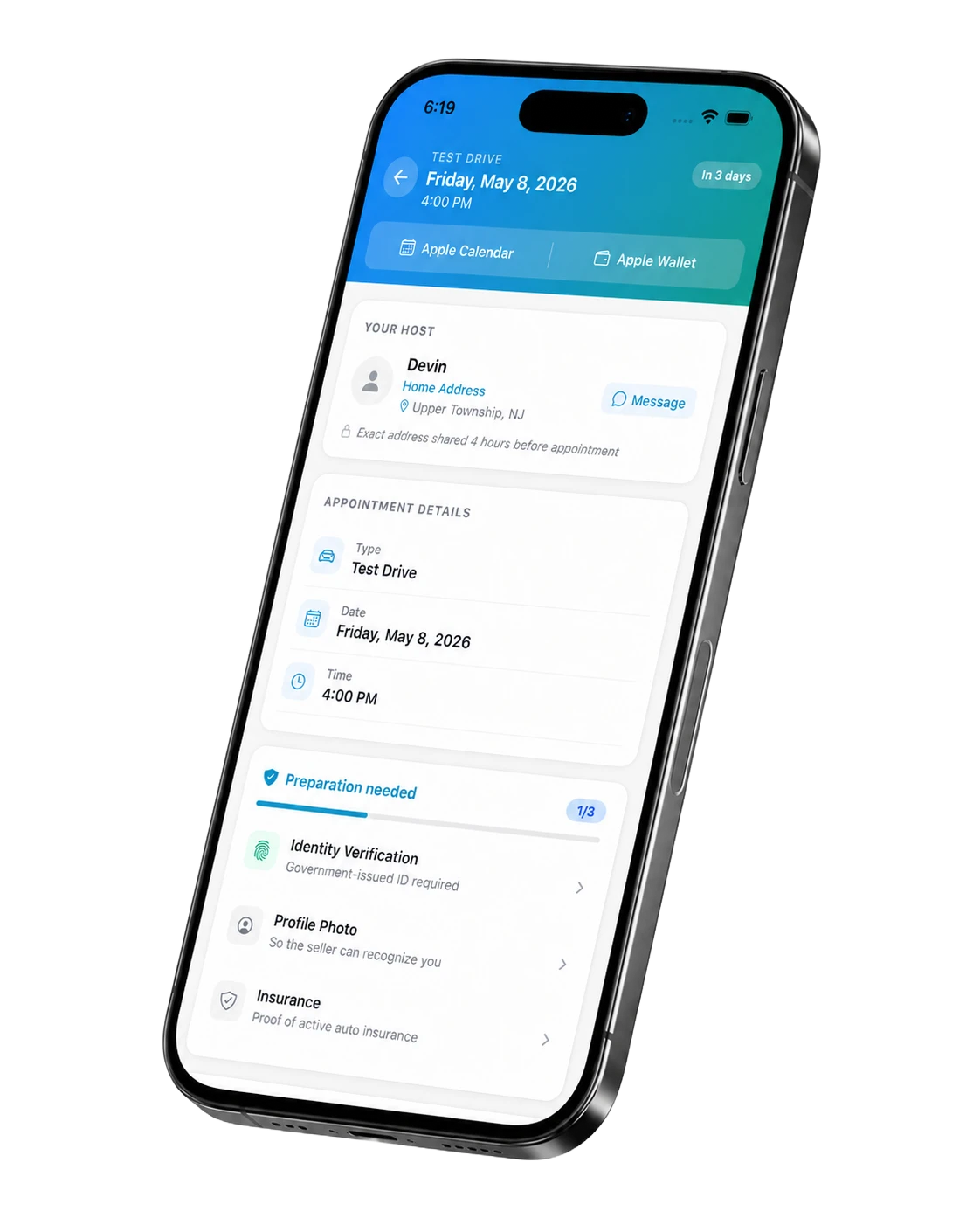
Step 2
See what's needed before you go.
Your appointment card shows who you're meeting, when, and what you need to complete first.
Step 3
Verify your ID and insurance in minutes.
Before anyone drives anywhere, ACar verifies identity and confirms insurance — so both sides know exactly who they're meeting. Quick scan, instant result.
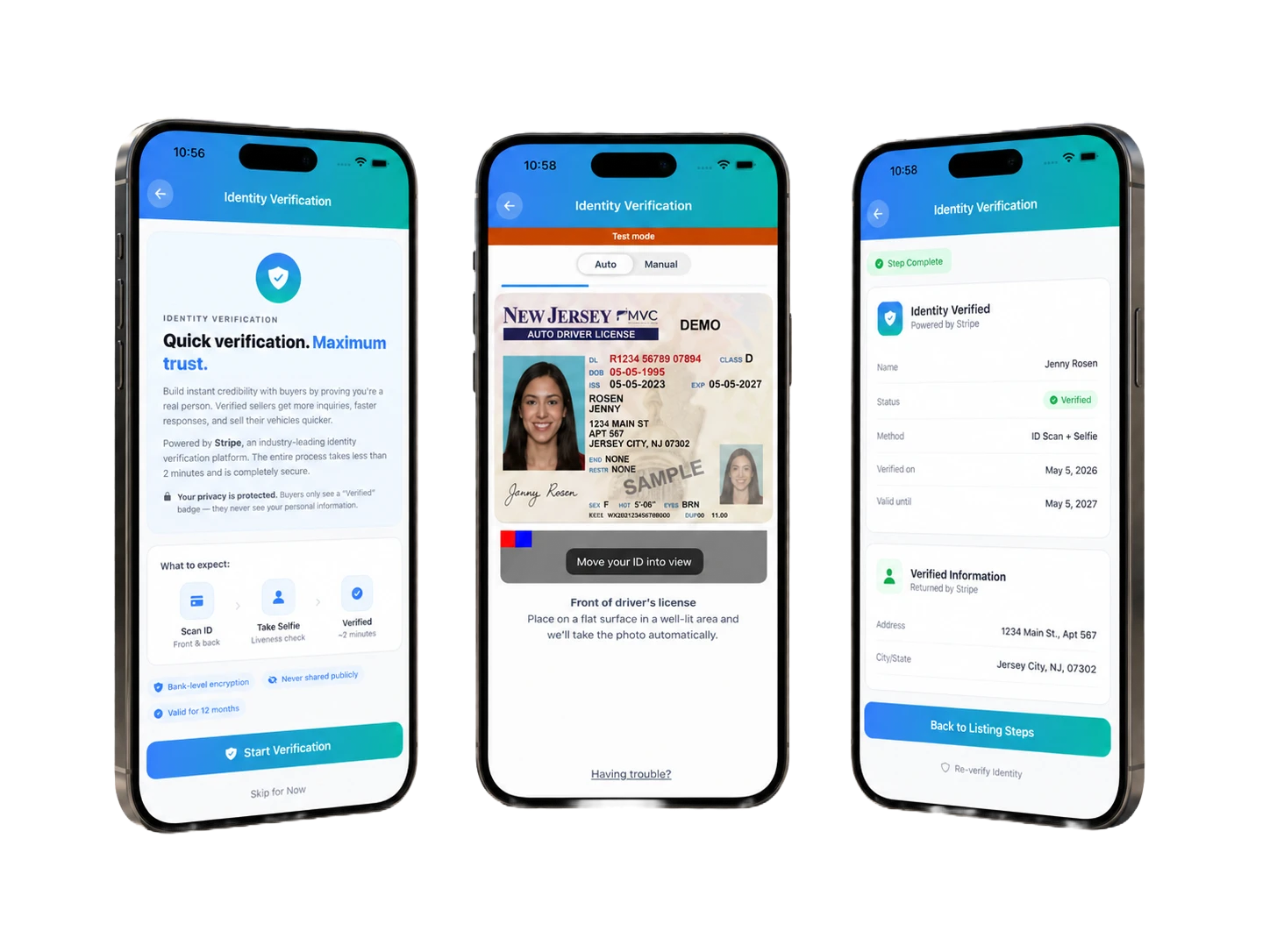
Step 3
Verify your ID and insurance in minutes.
Quick scan, instant verification. ACar confirms identity and insurance before anyone shows up.
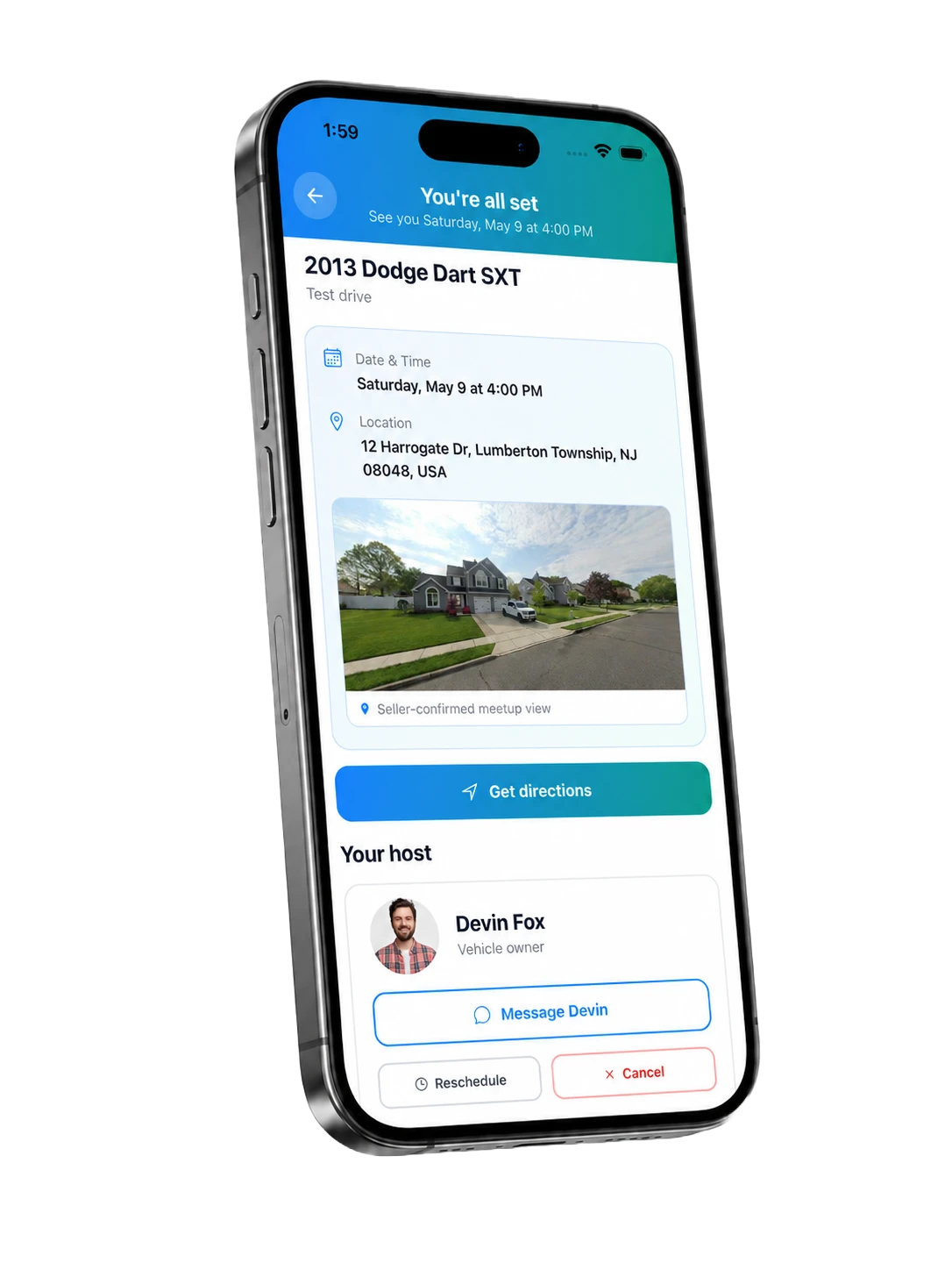
Step 4
You're all set. See you there.
Once you're confirmed and verified, your appointment screen shows the meetup address, directions, and your host — ready when you are.
- Seller-confirmed meeting location
- One-tap directions
- Message your host directly
- Reschedule or cancel anytime
Step 4
You're all set. See you there.
Confirmed meetup address, directions, and your host's info — all in one screen.
- Confirmed meeting location
- One-tap directions
- Message your host
- Reschedule or cancel
The appointment
Show up confident.
Leave with a decision.
Both sides verified. Location confirmed. No surprises at the curb.
Get the ACar app


FAQ
Appointments, answered.
Keep going
Related guides
The listings playbook
Build a listing that converts. Photos, pricing, and trust signals.
Inside guided checkout
ACH payment, reservations, insurance, documents, pickup, and NJ MVC support.
Already have a deal?
Skip the listing. Register your private sale with guided payment, title, and document support.